
Getting Started with Data Source API
Data Sources can be used to prefill a form, automatically initiate a form, and update cascading dropdowns.
The Data Source API is one of two ways to update a data source (the other way is manually uploading a CSV via product). You must create a new data source via product; it is not possible to create a data source via the API.
To access Data Source API you need to have Form Admin permission and have a valid API key. Instructions for generating API key
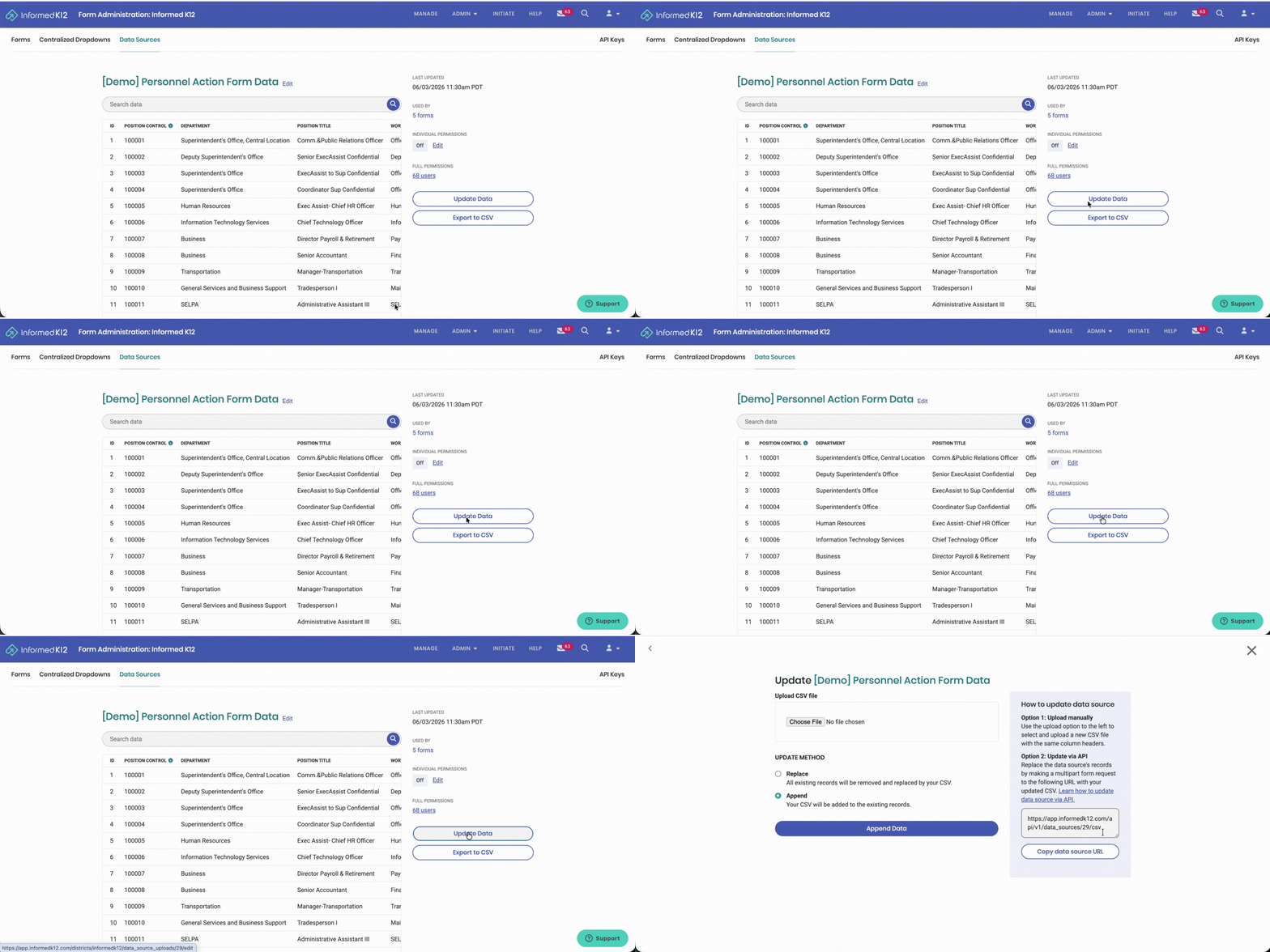
You will need the resource URL, Data Source ID parameter, and CSV file to make the API call. Navigate to the data source in product, click on "Update Data", and you will see the resource URL including the specific Data Source ID. Details for the CSV file are here.
To use prefill and cascading dropdowns, you will Replace the data source using a "PUT" call.
To automatically initiate forms, you will Append the data source using "POST" call.
Try it out here!
Updated 3 months ago